DCS Security Systems
What's actually in the system, what each piece does, and how an install runs from the first walkthrough to the handover.
"Security system" is a vague enough phrase that two quotes for it can describe genuinely different things. This page breaks a DCS system into its parts so you can read any quote — ours or a competitor's — and know what you're looking at.
The Parts of the System
The panel
The box that makes every decision. It holds the zone programming, the entry and exit delays, the user codes, and the battery that keeps the system alive when the power goes out — which in Florida is a design requirement, not an edge case. It also holds the cellular radio that reports to the monitoring center.
Door and window contacts
Two-piece magnetic sensors that report the instant a protected opening breaks contact. Cheap, boring, and the highest-value part of any system, because the overwhelming majority of break-ins come through a door or a slider rather than through a wall.
Motion detectors and glass break
Interior coverage for anything that gets past the perimeter. Modern pet-immune motions ignore animals under a weight threshold, and glass break sensors listen for the specific acoustic signature of breaking pane — useful in Florida rooms with large sliders where a contact alone leaves a gap.
Fire, smoke, and carbon monoxide
Monitored life-safety devices differ from the hardware-store smoke alarm in one way that matters: they report to a monitoring center, so a fire at 3am in an empty house gets a dispatch instead of a chirp nobody hears.
Keypads, panics, and medical buttons
How people actually operate the system day to day. Panic and medical buttons — fixed or worn — send a distinct signal type with its own response procedure, which is why they belong on the system rather than on a separate gadget.
Cellular communicator
How the alarm leaves the building. Cellular with battery backup is standard on our installs because a landline can be cut outside the house in seconds and internet-only monitoring stops working during exactly the storms that knock out service.
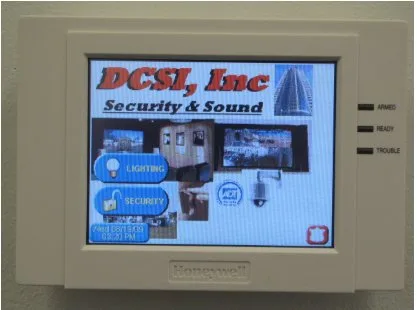
Standard equipment.
You own it outright.
How a DCS Install Runs
- 01
Walk the property
Someone comes out, walks the house or building with you, and looks at the actual openings, sightlines, and how you live in the space. A quote written without seeing the property is a guess about someone else's house.
- 02
Design and quote
You get a written scope: what goes where, what it costs to install, and what the monitoring runs monthly. Anything you decline is genuinely optional — the system works without it, and you can add it later.
- 03
Install
Most residential installs are a single day. New construction is different: the low-voltage rough-in happens before drywall, which is why builders schedule it against the framing inspection. See the builder pre-wire guide if that's your situation.
- 04
Program and test
Every zone is walk-tested against the monitoring center, so a device that reports the wrong zone or reports nothing gets caught on install day rather than during a break-in.
- 05
Hand it over
You get shown how to arm, disarm, bypass a zone, and cancel a false alarm — plus your call list and dispatch order, which we go over out loud rather than filing away.
Building new? The builder pre-wire guide covers the rough-in timing. Comparing quotes? The cost guide explains what drives the number.
Questions About DCS Systems
What does a DCS security system include?
+
A typical DCSI residential system is a panel with battery backup and a cellular communicator, contacts on the exterior doors and accessible windows, one or more pet-immune motion detectors, a keypad or two, an interior siren, and monitored smoke detection. Cameras, glass break sensors, access control, medical buttons, and smart locks are common additions. The system is designed around the property, so no two quotes are identical.
Does DCS install security systems for businesses as well as homes?
+
Yes. Commercial work is a large share of what DCSI does — retail, warehouse, office, and community properties — and it typically adds access control, door schedules, multi-user reporting, and camera coverage on top of intrusion detection. Community associations and CDDs are handled as their own category, with gate access and common-area coverage.
Do I own the equipment DCS installs?
+
Yes. Equipment we install is yours outright, on industry-standard hardware rather than a proprietary panel locked to one provider. That matters more than it sounds: a proprietary panel turns any future service dispute into a full replacement, while standard equipment means another company could take over monitoring if you ever wanted them to.
Does DCS require a long-term contract?
+
No. Long multi-year monitoring agreements with early-termination fees are common across the industry and are frequently how a low advertised monthly rate gets funded. DCSI does not require them. Ask any company you are comparing for the term, the termination fee, and whether it auto-renews before you compare monthly prices.
Can DCS take over the alarm system that's already in my house?
+
Often, yes. Plenty of Tampa Bay homes have perfectly serviceable hardwired panels and sensors installed by companies that no longer operate here. If the panel is industry-standard rather than proprietary, a takeover is usually far cheaper than a replacement, and it is worth having someone check before agreeing to rip out working hardware.
How much does a DCS security system cost?
+
It depends on the size of the property, how many openings need coverage, whether the walls are open, and what you add beyond intrusion detection. Rather than publish an invented number, we walk the property and give you a written quote. The cost guide on this site explains what actually drives the price and which quoted line items are worth questioning.
More on DCS
DCS Alarm Monitoring
The in-house monitoring center in Lutz — what happens in the first ninety seconds after a signal.
DCS Camera Systems
CCTV and IP cameras, recording and retention, remote viewing, and video verification of alarms.
DCS Commercial Security
Business alarm systems, access control, gates, and community security for HOAs and CDDs.
DCS Phone Number & Office
Phone, email, address, hours, and which number to call for a new quote versus an existing system.
DCS Customer Service
Already have a DCS system: service calls, false alarms, call-list changes, moving, and trouble codes.
DCS App & Remote Access
Arming from your phone, finding which app your panel uses, and what to do when a login fails.
Is DCS Legitimate?
How to verify any Florida alarm company — license lookup, physical address, and who answers the alarm.
What Does DCS Stand For?
The name, where it comes from, and the many unrelated things also called DCS.
Get a System Designed for Your Property
We walk the house or building, then quote what it actually needs. No obligation, no long-term contract.